TL;DR:
- Understanding fire panel alerts is essential for property managers to ensure quick responses and compliance.
- Properly distinguishing between alarm, trouble, and supervisory signals prevents delays, system failures, and safety risks.
When a light flashes or a buzzer sounds on your fire panel, the wrong response can cost you time, money, or lives. Understanding fire panel alerts is one of the most practical skills a property manager or business owner can have. Yet most facility operators confuse the three core signal types regularly, and that confusion leads to delayed evacuations, ignored faults, and compliance violations. This guide breaks down exactly what your fire panel is telling you and what you should do about it.
Table of Contents
- Key takeaways
- Understanding fire panel alerts starts with knowing the system
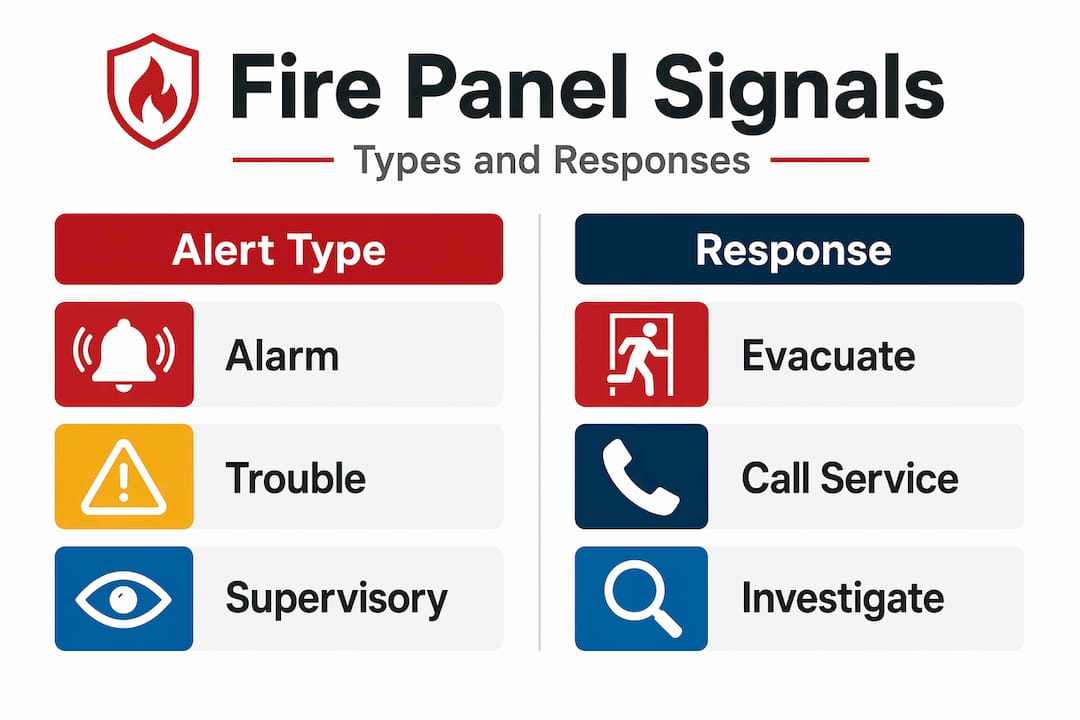
- The three fire panel alert types explained
- Common fire panel trouble alerts and how to handle them
- How fire panel alerts interact with other building systems
- What to do when different fire alerts occur
- My honest take on fire panel confusion in the field
- How Reliable Fire Protection supports your fire safety system
- FAQ
Key takeaways
| Point | Details |
|---|---|
| Three signal types exist | Alarm, Trouble, and Supervisory signals each require a different response and carry distinct consequences if ignored. |
| Document before you clear | Always record the exact panel message, device address, and timestamp before clearing any trouble signal. |
| Trouble signals are not optional | Ignoring trouble signals risks compliance violations and system failure during a real emergency. |
| Monthly checks catch faults early | Basic functional checks each month reduce the risk of finding critical faults only when something goes wrong. |
| Integration requires priority logic | Fire signals must always override other building alerts in integrated systems so occupants never receive a confusing or delayed warning. |
Understanding fire panel alerts starts with knowing the system
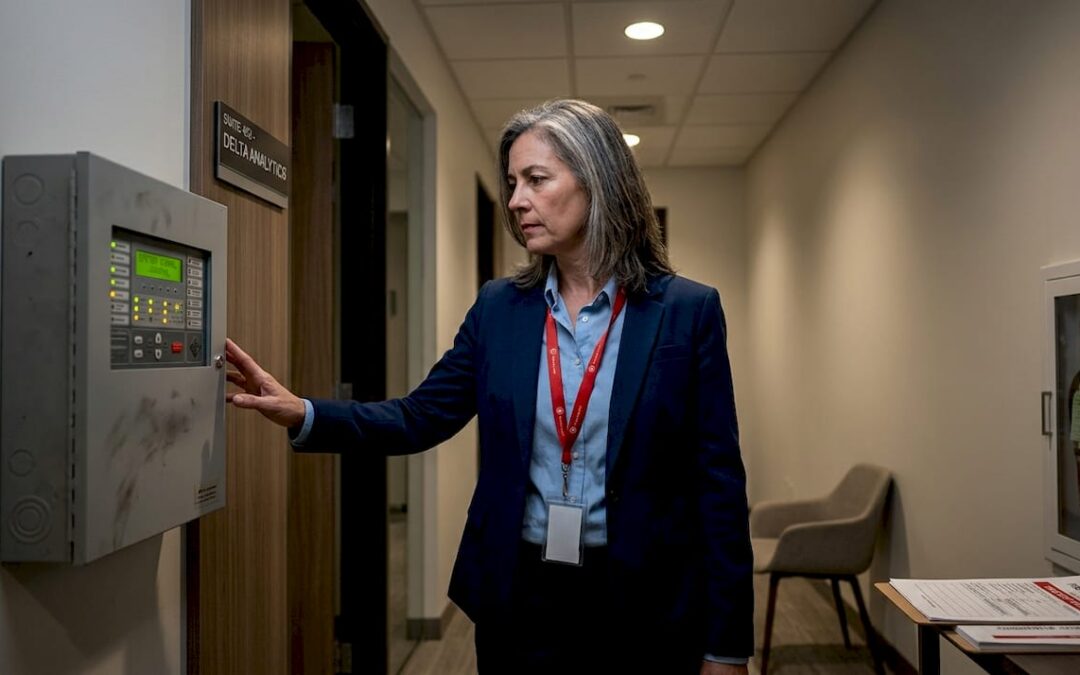
Your fire alarm control panel is the brain of your entire fire safety system. Every smoke detector, heat detector, pull station, and waterflow switch in your building connects back to it. The panel continuously polls those devices, interprets what they report, and decides what to communicate and to whom.
Here is a simplified picture of how that workflow runs in real time:
- A device in the building detects a change, such as smoke, heat, or a pulled manual station.
- The panel receives the signal and verifies it against its programmed logic.
- The panel activates audible and visual notification devices throughout the building.
- Simultaneously, the panel transmits the alert to your central monitoring station.
- The monitoring station notifies the fire department.
From detection to fire department dispatch, that process happens in under 90 seconds in a properly functioning system. That speed is only possible when the panel is working correctly and continuously monitored.
Power reliability is part of that equation too. Fire panels use backup batteries for 24 to 72 hours of continuous operation during outages. A power outage triggers a trouble indicator on the panel but does not silence alarms or stop monitoring. Your protection continues, though the fault still demands attention.
If you want a deeper look at the full system architecture, the Reliable Fire Protection guide on fire alarm system basics covers the monitoring and notification workflow in more detail.
The three fire panel alert types explained
This is where most property managers run into trouble. Your panel communicates using three distinct signal types, and each one means something completely different. Getting them confused is not just inconvenient. It can put people in danger.
Alarm signals
An alarm signal means the system has detected a condition consistent with fire. This is the signal that should trigger immediate action from every person in the building.
- What it looks like: A red “Alarm” LED illuminates on the panel. Strobe lights and horns activate throughout the building. The monitoring station receives an immediate fire alarm transmission.
- What you do: Initiate evacuation. Call 911 if you have any uncertainty. Do not attempt to investigate the source before everyone is out.
- What it does not mean: It does not automatically mean there is a confirmed fire. Alarms can be triggered by steam, cooking smoke, or a malfunctioning detector. But you treat every alarm as real until first responders say otherwise.
Trouble signals
A trouble signal means something is wrong with the fire alarm system itself, not with the building environment. Trouble signals indicate system faults such as battery issues, wiring problems, communication failures, or a detector that has gone offline.
- What it looks like: A yellow or amber “Trouble” LED activates. An audible trouble tone sounds. The panel display or printout shows a specific fault code or device address.
- What you do: Acknowledge the signal, document the exact message, and contact your fire alarm service vendor. Do not clear it until a technician has assessed the cause.
- What it does not mean: Trouble is not an all-clear. A system with unresolved trouble faults is less reliable during an actual fire.
Supervisory signals
Supervisory signals occupy the middle ground. They indicate an off-normal condition in equipment the fire system monitors, most often a sprinkler valve that has been partially closed or a pump that is not running in test mode.
- What it looks like: A yellow “Supervisory” LED activates. Audible signals differ from the alarm tone. The panel identifies the specific device or zone.
- What you do: Treat it as urgent but not an emergency evacuation. Dispatch someone to inspect the flagged equipment and restore normal conditions promptly.
- What it does not mean: It does not mean the fire alarm itself is broken, and it does not mean fire is present.
| Signal type | Indicator color | Response required | Emergency? |
|---|---|---|---|
| Alarm | Red | Evacuate immediately | Yes |
| Trouble | Yellow/Amber | Document and call vendor | No, but urgent |
| Supervisory | Yellow | Inspect flagged equipment | No, but prompt |
Pro Tip: Classifying signals by type is more valuable than memorizing brand-specific codes. Once you understand what Alarm, Trouble, and Supervisory mean, you can operate confidently regardless of which panel manufacturer your building uses.

Common fire panel trouble alerts and how to handle them
Trouble signals are the most frequently mishandled alerts in property management. Some managers silence the tone and forget about it. Others panic unnecessarily. Neither response is correct.
The most common trouble signals property managers encounter include:
- Low battery: The panel’s backup battery is below acceptable voltage.
- Ground fault: An electrical fault exists between a wire and the grounding path of the system.
- Open circuit: A break exists in a wiring loop, often caused by a cut wire or a loose terminal.
- Communication failure: The panel cannot reach your monitoring station or a remote annunciator.
- Detector malfunction: An individual sensor has failed its self-test or gone offline.
Here is a practical process for handling trouble signals that actually holds up during inspections:
- Acknowledge the signal at the panel to silence the audible trouble tone.
- Read the display carefully. Note the exact fault text, loop number, device address, and any zone information.
- Write it down with a timestamp. Recording panel text before clearing the fault is critical for your service technician and your compliance records.
- Call your fire alarm vendor. Do not wait until the next business day for faults like communication failures or open circuits. Those compromise your protection immediately.
- Log the event in your fire alarm maintenance log even if the fault clears on its own.
NFPA 72 recommends monthly basic functional checks by the property manager and annual professional inspections to maintain system integrity and compliance. Monthly checks do not require specialized tools. Walk the panel, note any active indicators, and test at least one device per zone to confirm normal operation.
Pro Tip: Take a photo of the panel display with your phone before pressing any buttons. That image preserves the exact fault message and timestamp for your records and your technician.
How fire panel alerts interact with other building systems
Modern buildings often run multiple notification systems in parallel, including fire alarms, lockdown alerts, and general building announcements. The way those systems interact with your fire panel matters more than most people realize.
Fire signals must always retain priority above any other building alert. If a lockdown message or a general PA announcement can delay, mask, or override a fire alarm tone, people may not receive the warning they need to evacuate safely. This is not a theoretical risk. It is an engineering requirement that needs to be built into how your systems are configured.
Properly integrated systems address this through cause-and-effect logic. When fire alarms are active, the system follows explicit priority hierarchies so that fire alerts cannot be masked or overridden by competing signals. Distinct tones, flashing strobes, and separate notification pathways keep fire alerts obvious regardless of what else is happening in the building.
As a property manager, you can verify this yourself with a few practical checks:
- Ask your fire alarm technician to demonstrate what happens to the fire alarm tone when your PA system is active.
- Confirm that fire panel alerts appear on all annunciators and remote indicators simultaneously.
- Review your system’s cause-and-effect matrix to confirm fire signals override all lower-priority communications.
- Ask your monitoring company how quickly they receive and act on fire alarm versus supervisory signals.
Your local fire protection authority will expect this level of intelligibility during inspections. Having documentation of your priority configuration protects you from compliance findings.
For a detailed look at how annunciators support alert clarity in multi-zone buildings, the Reliable Fire Protection resource on fire alarm annunciators is worth reviewing.
What to do when different fire alerts occur
Knowing the theory is useful. Having a written response protocol is better. Here is a practical framework you can adapt for your facility:
When an alarm signal activates:
- Initiate evacuation immediately. Assume the alarm is real.
- Call 911 or confirm your monitoring station has already done so.
- Account for all occupants at designated assembly points.
- Do not re-enter the building until first responders authorize it.
- Do not silence or reset the panel without authorization from the fire department or your alarm vendor.
When a trouble signal activates:
- Acknowledge the tone at the panel.
- Document the exact message, device address, and time.
- Contact your alarm service vendor. Prioritize the call based on fault severity.
- Follow up in writing and log the event with resolution notes.
When a supervisory signal activates:
- Dispatch someone to the indicated device or zone.
- Identify what changed (valve position, pump status, water pressure).
- Restore normal conditions and confirm with the panel that the signal has cleared.
- Document the event and the corrective action.
Pro Tip: Post laminated signal-response cards at your fire panel and near each building entry point. Staff who encounter the panel during off hours need the same clarity as trained managers, and a card costs almost nothing.
Ignoring any of these signals carries legal weight. Prompt acknowledgment and corrective action are not just best practices. They are compliance requirements under NFPA 72 and most local fire codes. Unresolved faults documented during an inspection can result in fines or required shutdowns.
You can build a month-by-month maintenance schedule using the Reliable Fire Protection guide on a fire alarm system checklist for commercial properties.
My honest take on fire panel confusion in the field
I have seen the same pattern repeat across hundreds of service calls. A trouble signal has been sitting on a panel for weeks, sometimes months, because the property manager assumed it was a glitch or planned to address it “eventually.” Then an actual emergency happens and the system does not perform the way it should. Not because the technology failed. Because the warning was ignored.
The Alarm/Trouble/Supervisory distinction is not complicated once you understand it. But most property managers are never formally taught it. They inherit a building with a panel already installed, maybe receive a brief walkthrough, and are expected to manage from there. That gap in training is where delays and wrong responses come from.
What I have found actually makes the difference is not memorizing codes. It is building a habit around documentation and vendor contact. When you write down every fault and call your technician within 24 hours, you stop letting small problems compound into big ones. The buildings with the best compliance records are not the ones with the newest equipment. They are the ones with the most consistent paper trail.
If there is one thing I would push every property manager to do starting this week, it is this: walk your fire panel right now. Look at every indicator light. If anything other than the normal power LED is active, document it today and make the call.
— Reliable Fire Protection
How Reliable Fire Protection supports your fire safety system
If reading this article revealed a gap in how your building manages fire panel alerts, you are not alone. Most of what property managers and business owners need comes down to having the right professional partner.
Reliable Fire Protection serves Houston-area commercial and residential clients with fire alarm installation, monitoring, and maintenance designed to keep panels configured correctly and compliant. Whether you are dealing with recurring trouble signals, need a full system inspection before a compliance audit, or want monitoring that responds in under 90 seconds, the team at Reliable Fire Protection brings certified expertise to every job. Explore how fire alarm systems work and what professional setup looks like, or reach out directly for a free quote tailored to your property. For Houston-area service, including Midtown Houston fire alarm needs, they are ready to help.
FAQ
What are the three types of fire panel alerts?
Fire panels use three signal types: Alarm (confirmed or suspected fire requiring evacuation), Trouble (a system fault requiring vendor attention), and Supervisory (an off-normal equipment condition requiring prompt inspection). Each type has its own indicator color and required response.
What should I do when a trouble signal appears on my fire panel?
Acknowledge the signal, write down the exact panel message with the device address and timestamp, and call your fire alarm service vendor promptly. Ignoring trouble signals risks compliance violations and reduced system reliability during a real emergency.
How quickly does a fire panel alert reach the fire department?
In a properly monitored system, the process from detection to fire department dispatch takes under 90 seconds. This relies on the panel operating correctly and maintaining an active connection to the central monitoring station.
How often should fire panels be checked?
Property managers should perform basic functional checks monthly, and professional inspections should be completed annually at minimum. NFPA 72 requires routine testing, maintenance, and documentation to maintain compliance and system integrity.
Can a fire alarm signal be overridden by other building alerts?
No, and your system should be engineered to prevent it. Fire alerts must retain priority above all other building notifications, including PA announcements and lockdown alerts, so occupants always receive a clear and immediate warning.